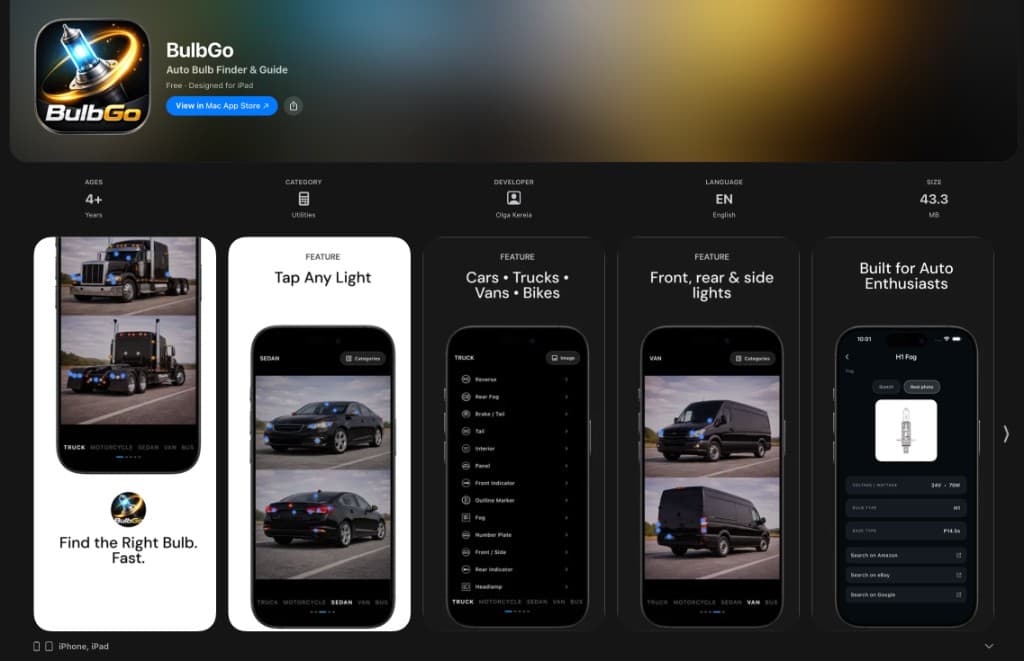
Feature
Tap Any Light
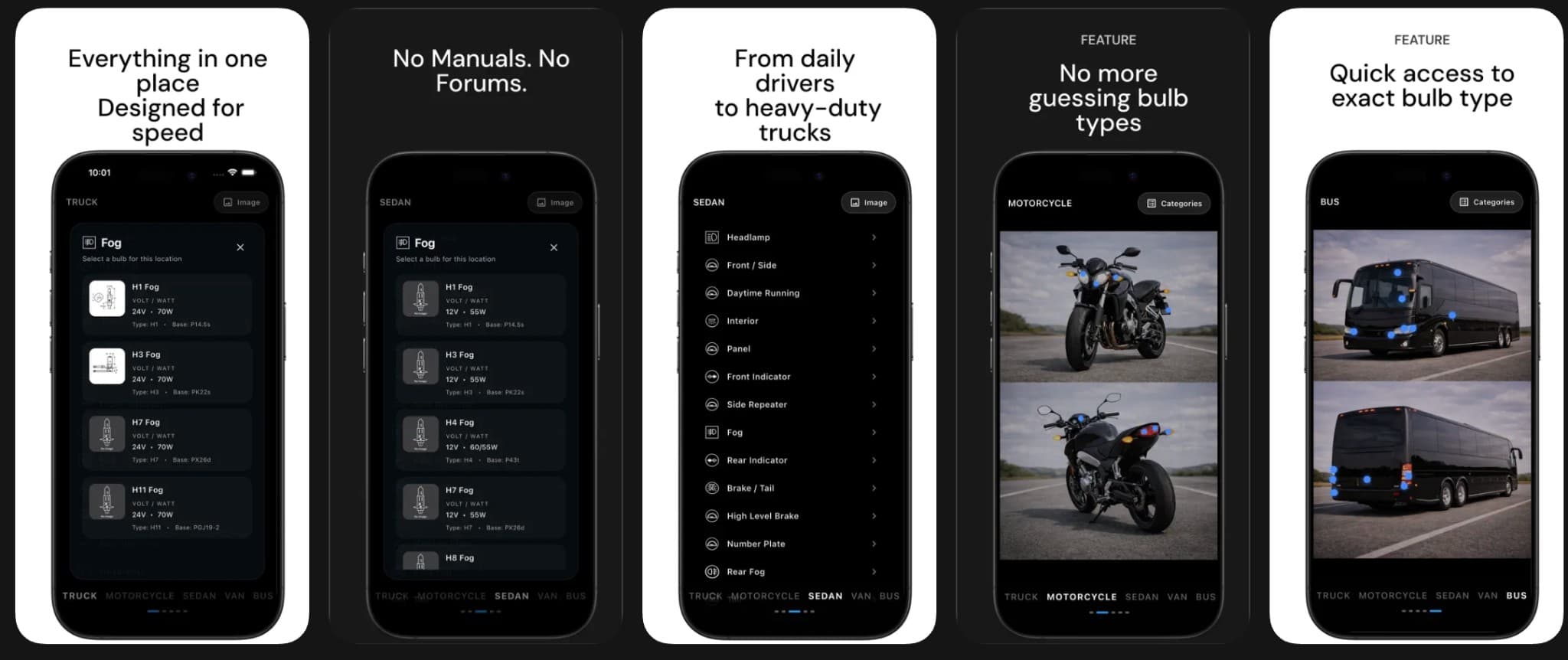
Pick a position on your vehicle—headlight, brake, fog, interior—and see the exact bulb type for that spot.
BulbGo · Auto Bulb Finder & Guide
Tap any light on your car, truck, van, or motorcycle and BulbGo shows you the exact bulb type. Full specs, no manuals, no forums, no guessing.
Features
Feature
Pick a position on your vehicle—headlight, brake, fog, interior—and see the exact bulb type for that spot.
Feature
Supports the full range of road vehicles: compact cars, heavy-duty trucks, cargo vans, buses, and motorcycles.
Feature
Move around the vehicle to find every light: headlights, tail lights, turn signals, side markers, and more.
Feature
Designed for people who maintain their own vehicles and want fast, reliable answers instead of endless searching.
Bulb catalog
BulbGo organises bulbs by position so you immediately know what to buy — not just a confusing list of part numbers.
Headlights
Low beam · High beam · DRL
H11 · 9005
Fog lights
Front fog · Cornering
H8 · H11
Brake / Tail
Rear · High-mount stop
7443 · 921
Turn signals
Front · Rear · Side
3157 · 7440
Reverse
Backup light
921 · 912
Interior
Dome · Map · Trunk
31mm · 194
Number plate
License plate light
194 · W5W
Panel / Gauge
Instrument cluster
74 · 2721
Example bulb families shown for illustration. BulbGo looks up the exact types for your specific vehicle, year, and trim.
Why BulbGo
Designed for speed so you get in, find your bulb, and get back to work.
Skip the guessing and conflicting forum threads. BulbGo gives you a clean, focused view.
From daily drivers to heavy-duty trucks and motorcycles — if it has bulbs, BulbGo covers it.
See exact bulb numbers before you order or head to the parts store. No more wrong purchases.
No analytics, no tracking, no account required. Just open the app and look up your bulb.
Find the exact bulb for your car, truck, or motorcycle in seconds. Tap any light, get full specs, and never buy the wrong bulb again with BulbGo. BulbGo helps you quickly identify the correct bulb type for headlights, brake lights, turn signals, interior lights, and more. No more guessing, searching forums, or checking manuals.
Whether you drive a car, truck, van, or motorcycle, BulbGo makes bulb lookup fast and simple. The app is free, available on iPhone and iPad (iOS 13+), and runs natively on Mac with Apple silicon (macOS 11+).
BulbGo is designed to be a calm, focused reference tool — not a parts store. It helps you understand exactly what you need so you can buy with confidence at any retailer or auto parts store.
BulbGo supports cars (sedans, coupes, hatchbacks, SUVs), trucks, vans, motorcycles, and buses. If it uses standard automotive bulbs, BulbGo is designed to help.
BulbGo covers headlights (low beam, high beam, DRL), front and rear fog lights, brake and tail lights, front and rear turn signals, side markers, reverse lights, license plate lights, and interior bulbs such as dome, map, and trunk lighting.
Yes. When you select a light position, BulbGo displays the bulb family, part number, and other relevant specs so you have everything you need to purchase the correct replacement.
Yes, BulbGo is free to download on the App Store.
BulbGo runs on iPhone and iPod touch (iOS 13+), iPad (iPadOS 13+), and Mac computers with Apple silicon (macOS 11 or later).
According to the App Store listing, the developer does not collect any data from this app. There are no analytics, user accounts, or advertising trackers.
Free on the App Store
BulbGo is free. Open the app, pick your vehicle, tap a light, and get the exact bulb type in seconds.
Download BulbGo Free